Vaultbase apps · Mirra
Meet Mirra, your virtual assistant
Mirra is built into every Vaultbase app. She sees the screen you're on and does the work there: she answers your email, writes the document, fills in the spreadsheet, tidies your photos and plans your posts. She asks before anything important, and you decide how much she does on her own.
What she runs on
The best assistants, taught your office
Mirra runs on today's leading assistant models: Claude, ChatGPT, Gemini and Grok. Their makers trained them on a vast amount of writing, so they write, reason and summarize well. Vaultbase then teaches Mirra the rest: every tool in every app, nearly 100 actions she can take, what's on your screen, and when to stop and ask you first.
- Use Mirra as she comes, or connect your own Claude, ChatGPT, Gemini or Grok account and she works through it.
- For market research she can also use Perplexity, with every source linked.
- Your own connected account doesn't use Mirra credits.
What she does
Nearly 100 jobs, in the apps you use
Open any app and ask in plain words. A few of the things she does:
- Drafts replies in your own words and sends only when you say
- Finds who's waiting on your answer
- Files, flags and cleans up mail, and makes sorting rules
- Adds events and tasks from an email
- Researches a contact and notes what you talked about
Documents
- Writes a letter, a proposal or a report from a few words
- Rewrites, shortens or changes the tone of what you have
- Adds sections and tables to the document you're in
Spreadsheets
- Builds a sheet from a description: a budget, a price list, a tracker
- Fills in cells and formulas
- Styles headers and totals
Slides
- Makes a deck from an outline or a document
- Edits, adds and removes slides
PDF Studio
- Finds text, highlights it and adds notes
- Numbers, rotates and removes pages, and adds a watermark
- Pulls pages out into a new file
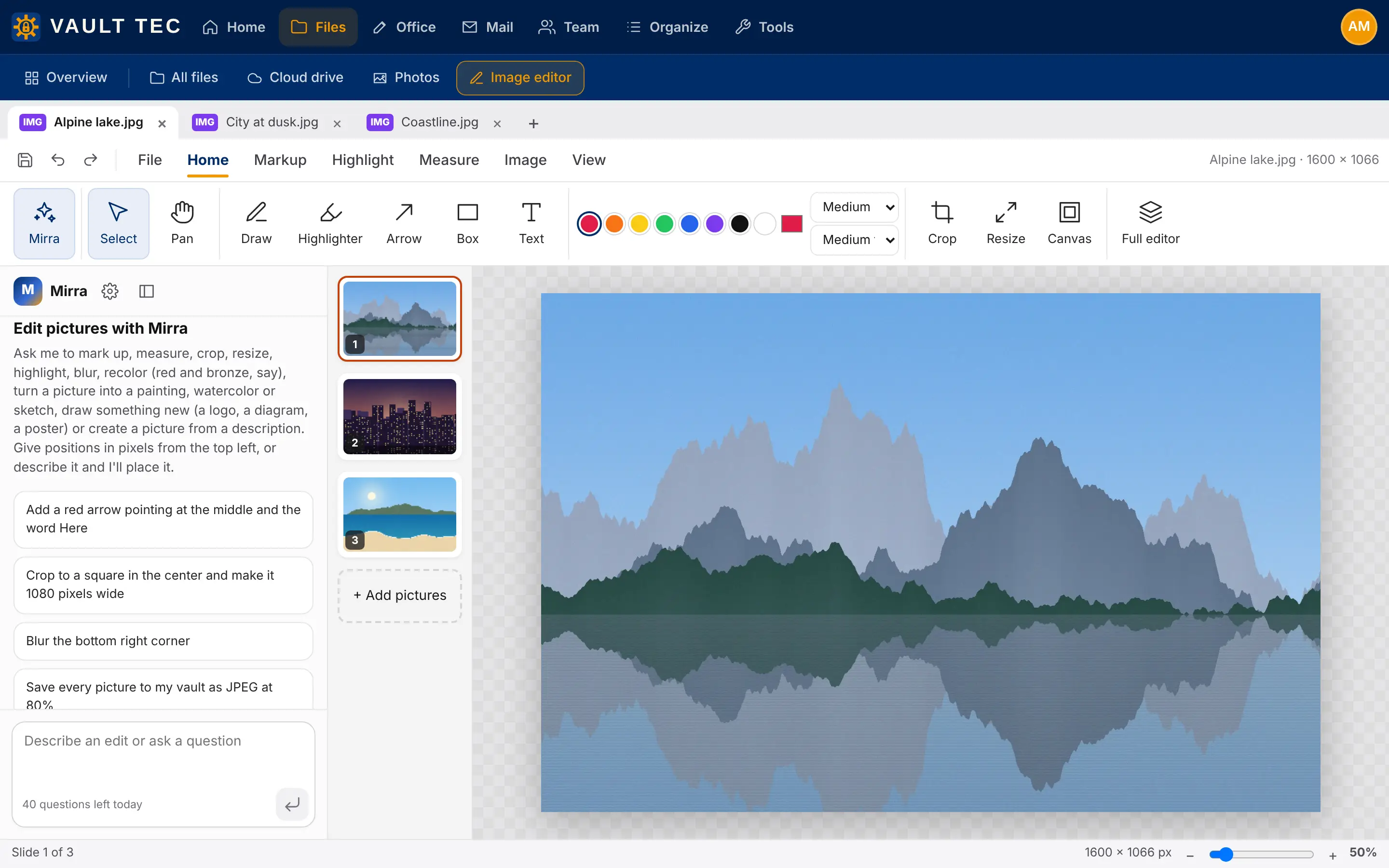
Photos and the image editor
- Sorts photos into categories, finds duplicates and makes galleries
- Adds arrows, measurements and text, crops and resizes
- Recolors, turns photos into paintings or sketches, and makes a new picture from a description
Social Studio
- Writes a post for each network
- Designs the picture from a template, or makes one
- Schedules it, and suggests replies to comments
Notes and voice
- Organizes a recording into a summary and action items
- Suggests the events and to-dos it mentions, for you to add
Contacts and research
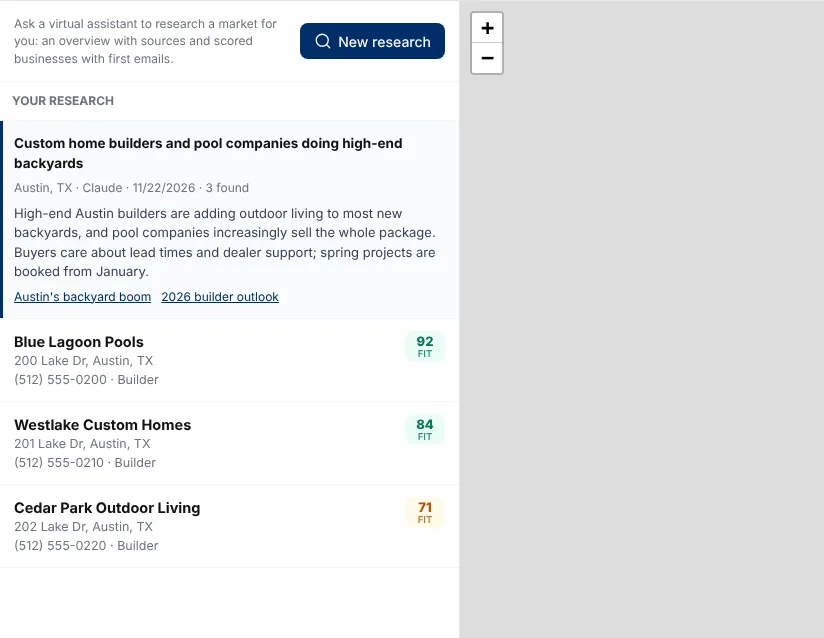
- Finds businesses on a map and researches a market with sources
- Scores how well each one fits and drafts a first email
- Adds them to Contacts or your CRM
Newsletters and pages
- Builds a newsletter or page from blocks, or writes the HTML
- Sets the audience and sends you a test
You're in charge
She asks before anything important
For each kind of job you choose what Mirra may do: off, ask first, or on her own. Ask first is the setting for sending, posting and deleting.
Compare
Mirra and a chat assistant on its own
Chat assistants like ChatGPT, Claude and Gemini are excellent at writing and answering questions. Mirra uses those same assistants, and adds what they can't do from a chat window: your apps, your screen and the actions to finish the job.
| Mirra in Vaultbase | A chat assistant on its own | |
|---|---|---|
| Writes, summarizes and answers questions | Yes | Yes |
| Sees the email, document or photo you have open | Yes | You copy and paste it in |
| Does the job in the app: sends the reply, fills the cells, adds the event | Yes | You copy its answer back yourself |
| Works across mail, office, PDFs, photos, notes and social posts | Yes | One chat window |
| Asks before sending, posting or deleting, with your own settings | Yes | Not needed: it can't act in your apps |
| Choose Claude, ChatGPT, Gemini or Grok | Yes | One maker's assistant |
| Organizes recordings into action items, events and to-dos | Yes | If you paste the text in |
Questions
Good to know
Is Mirra a person?
No. Mirra is a virtual assistant built into Vaultbase. She runs on leading assistant models and Vaultbase's own tools for each app.
What does Mirra see?
The app you have open and what the job needs, like the email you're answering or the sheet you're filling in. You can turn her off for any kind of job.
Does Mirra cost extra?
Mirra comes with Vaultbase. Pictures and market research by Mirra use credits: plans include some each month and packs top you up. Your own connected assistant account never uses credits.
Can Mirra send an email without me?
Only if you allow it. Sending, posting and deleting are set to ask first, and you can keep them that way.
Put Mirra to work
Create a free account and ask Mirra to answer your first email.