Vaultbase apps
Every app your office needs
Start with Mail, Calendar and To-dos for free. Add the apps you need to a small plan, or move up and they all come included. Mirra, the virtual assistant, works in every one. Get them all in the desktop app for Windows, Mac and Linux.
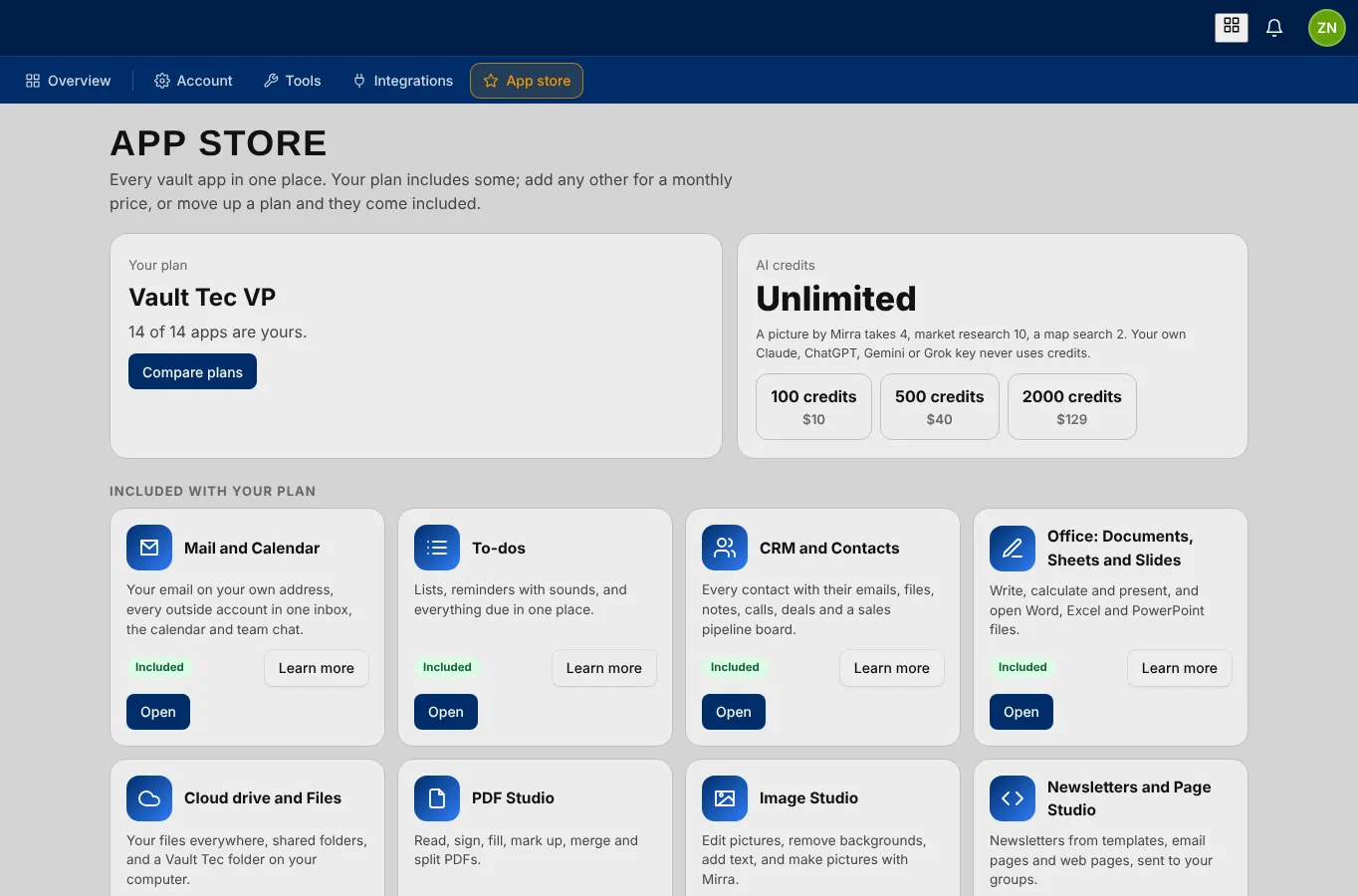
Pick an app
See what each one does
Mail and Calendar
Your vaultbase.email address, every outside account in one inbox, the calendar and team chat.
Free✅To-dos
Lists, reminders with sounds, and everything due in one place.
Free👥CRM and Contacts
Every contact with their emails, files, notes, calls and deals, and a sales pipeline.
With Personal and up📄Office: Documents, Sheets and Slides
Documents, spreadsheets and slides; open Word, Excel and PowerPoint files.
With Personal and up☁️Cloud drive and Files
Your files everywhere, shared folders, and a Vaultbase folder on your computer.
With Personal and up📑PDF Studio
Read, sign, fill, mark up, merge and split PDFs.
With Personal and up🖼️Image Studio
Edit pictures, add text and markup, apply effects, and make pictures with Mirra.
With Personal and up📰Newsletters and Page Studio
Newsletters from templates, email pages and web pages, sent to your groups.
With Personal and up🧊3D Studio
View 3D and CAD models, see them in your room, and convert them to other formats.
With Personal and up🎙️Notes and voice
Quick notes, and recordings of meetings and calls written out and organized by Mirra.
Free🔎Find businesses and Market research
Businesses on a map, and a virtual assistant that researches a market with sources and fit scores.
With Pro and up📣Social Studio
Post to Facebook, Instagram, LinkedIn, X and Pinterest, with templates, scheduling and one comments inbox.
With Pro and up🔌Integrations
HubSpot, Salesforce, Zoho, Quickbase, Mailchimp, Dropbox and Google Drive, kept in step.
With Pro and up🏢Teams
A company team: news feed, groups, shared calendar, to-dos, folders and team addresses.
With Pro and upWhy one vault
Every app talks to every other app
Most offices use a dozen separate apps: one for mail, one for files, one for the CRM, one for PDFs, one for social posts, one for notes. Each has its own sign-in and bill, and they don't work together without add-ons. In Vaultbase they're one office, and Mirra works across all of them.
| Vaultbase | Separate apps (Gmail or Outlook, Dropbox, HubSpot, Acrobat, Canva, Mailchimp, Hootsuite, Otter, Slack...) | |
|---|---|---|
| Apps to sign in to | One | About 10, each with its own password |
| Bills to pay | One plan | One for each app |
| Your contact's emails, files, notes and deals | On one screen | Spread across several apps |
| A virtual assistant across everything | Mirra, in every app | A different one in each app, if any |
| Moving things between apps | Built in: one tap | Download, upload, copy and paste, or paid connectors |
| A desktop app with everything | Windows, Mac and Linux | One per app |
A call becomes your week
Record a call in Notes. Mirra writes it up and adds the meeting to your calendar and the jobs to your to-dos.
An email becomes a proposal
Ask Mirra to write a proposal from the customer's email. It opens in Documents, and goes back as an attachment.
Research becomes customers
Find businesses on the map, and each one lands in Contacts with a first email drafted.
A photo becomes a post
Pick a photo from your files, add a title in the designer, and post it everywhere.
How plans work